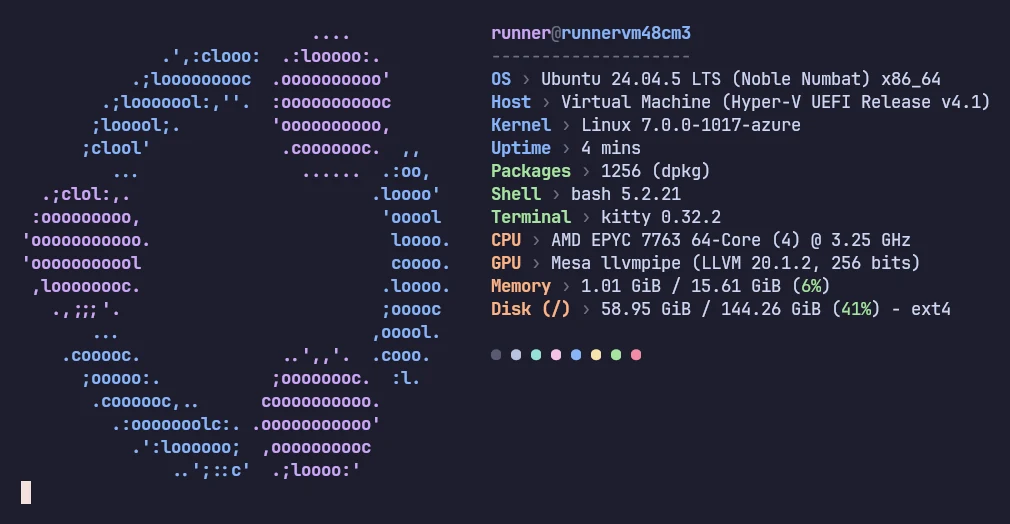
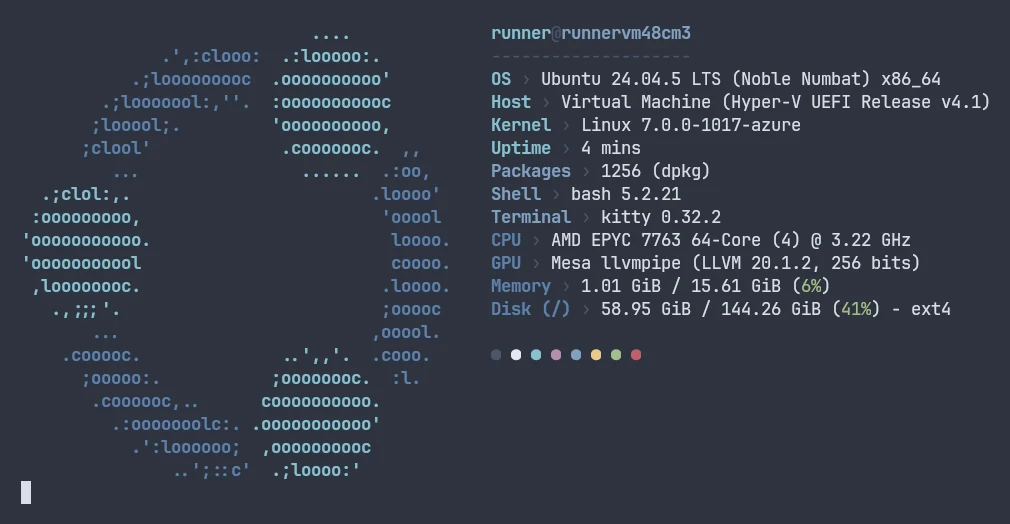
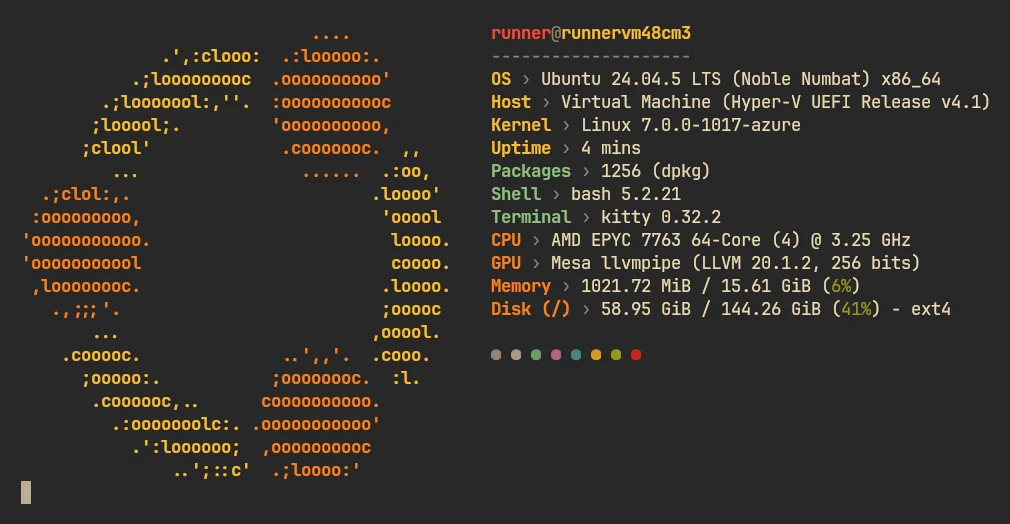
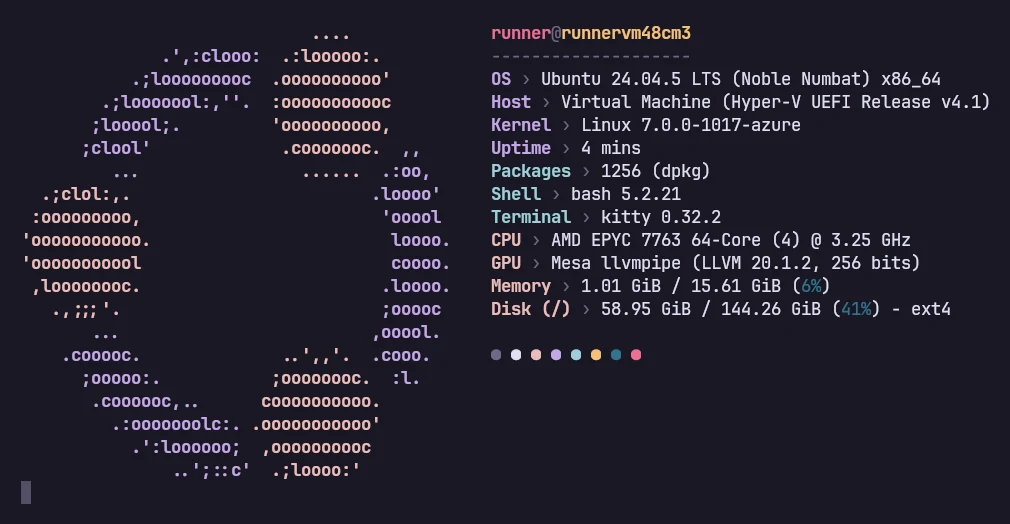
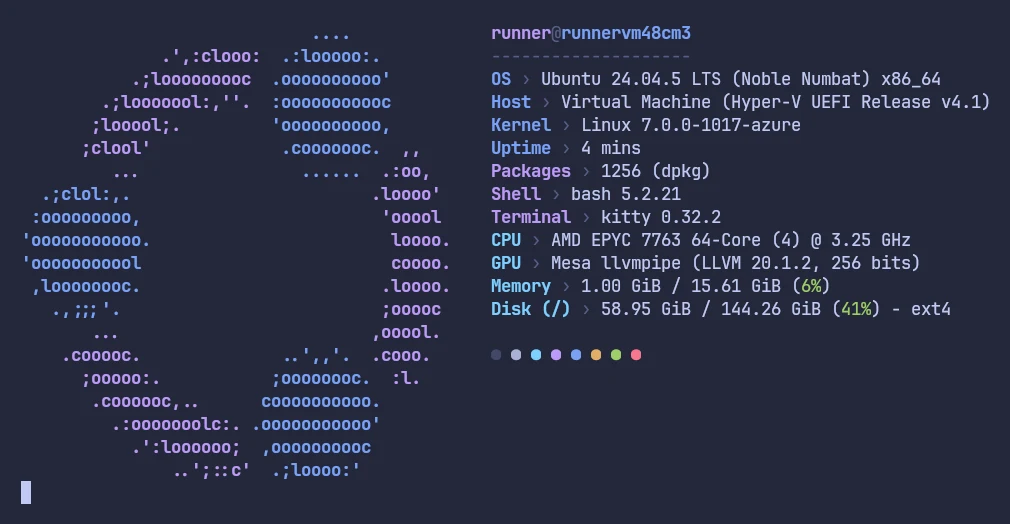
Five color themes built from each project's official palette, screenshotted in kitty with the matching terminal colors, and every one of the 37 presets that ship with fastfetch. Every theme ran on Linux, macOS and Windows on 2026-11-02.
5 color themes6 named + 31 example presetsChecked against v2.71.0Updated 2026-11-06
fastfetch has no theme switch. A theme is simply a config that sets colors:
display.color for keys, values and separator.
logo.color for the ASCII logo.
The title's user and host colors, and per-module keyColor.
Since 2.42.0 those accept exact hex colors, so a theme can use a palette's real values. We built these five from each project's own published palette files, ran each one on Linux, macOS and Windows, and checked that every palette color reached the terminal as the exact 24-bit color.
Set your terminal's colors tooTwo parts of the output come from your terminal, not from fastfetch: the background, and the row of color blocks at the bottom, which shows the terminal's own 16-color palette. For the screenshots we loaded each project's kitty theme (from the official kitty-themes collection). Each card links to the matching terminal themes.
To use one, download it as your config, or keep your own config and copy over the logo and display blocks and the color/keyColor settings:
Tokyo Night's "night" and "storm" variants share these text colors and differ only in background, so this config fits both. For other palettes, follow the same pattern: pick three accent colors for the key groups, a text color for the values and a muted color for the separator. The color formats are explained on the customization page.
Presets live in fastfetch's data folder (fastfetch --list-data-paths), and fastfetch --list-presets prints their names. To build on one, copy its JSONC (below) into ~/.config/fastfetch/config.jsonc and edit it. The config builder is another starting point.
Read before you copy any configNine bundled presets contact the internet through the PublicIp or Weather module (ipinfo.io, wttr.in), and examples/25 runs shell commands. That is fine for presets you got with fastfetch itself, but apply the same check to configs from dotfile repositories: search for "command", "publicip" and "weather".
Real output: open "Real output" on any preset to see what it printed when we ran fastfetch 2.70.0 on GitHub's Ubuntu 24.04 and macOS runners, rendered exactly as a 110-column terminal shows it. Those machines are virtual: no GPU, battery or desktop, so some lines are short or missing. PublicIp and Weather were disabled.
Presets marked "needs a Nerd Font" use icon keys; without a Nerd Font those icons appear as boxes.
A fastfetch config can do more than set colors, so read one before you run it. Search the file for these:
Look for
What it does
"type": "command"
Runs a shell command every time fastfetch starts and prints its output.
"command-raw" in logo
Runs a shell command to produce the logo (tested).
$( or backticks in a logo source
On Linux, macOS and BSD, logo paths are expanded like a shell, including command substitution (official wiki). EndeavourOS's optional config uses this to pick a random image.
"publicip", "weather"
Contact ipinfo.io and wttr.in over the internet.
"localip"
Shows your network address in screenshots (hide it).
Two more things decide whether a borrowed config looks like its screenshot:
A Nerd Font if it uses icon keys.
Image files if its logo points to a picture. A relative path like "logo.png" only works from the folder that holds the image, so change it to a full path (why).
Before you rely on it, run it once with fastfetch -c their-config.jsonc --show-errors.
Not as a built-in switch. A theme is a config file that sets colors. The five above use the official Catppuccin, Nord, Gruvbox, Rosé Pine and Tokyo Night palettes; download one and use it with fastfetch -c file.jsonc, or save it as your config.
Why don't the color blocks at the bottom match the theme?
That row shows your terminal's own 16-color palette. Install the matching theme for your terminal app, linked under each theme above.
Where are fastfetch's presets stored?
In fastfetch's data folder, usually /usr/share/fastfetch/presets/ on Linux. fastfetch --list-data-paths prints the folders and fastfetch --list-presets the names. Load one by name: fastfetch -c examples/13.
Is there a Catppuccin theme for fastfetch?
Yes: the Catppuccin Mocha config above uses the hex values from Catppuccin's official palette file (v1.8.0). For the other flavors (Latte, Frappé, Macchiato), swap in that flavor's values from the same palette.