Show an image: the short version#
fastfetch --logo ~/Pictures/me.png --logo-width 30In kitty this worked as-is. fastfetch saw it was running in kitty and used the kitty graphics protocol:
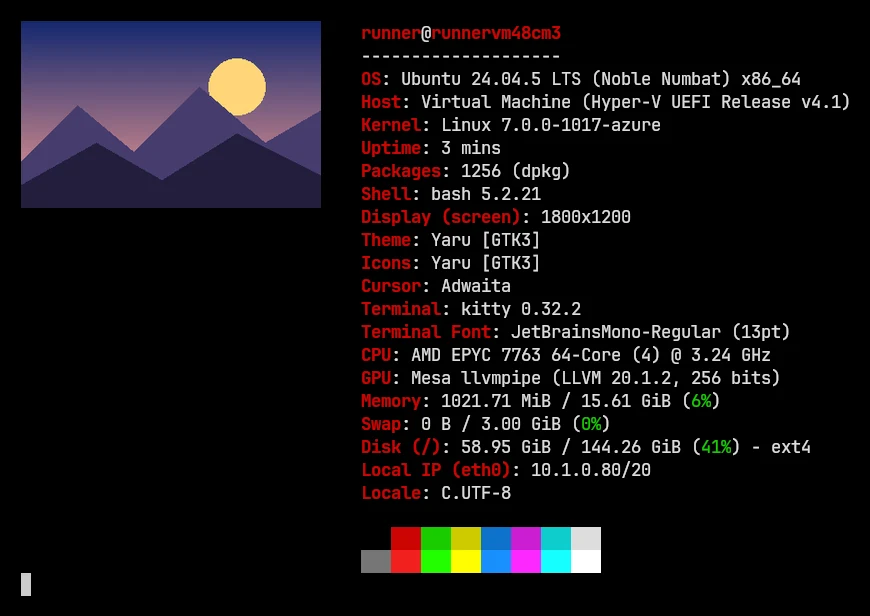
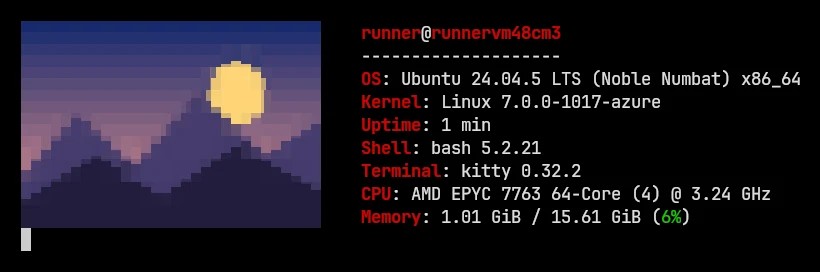
In other terminals, name the logo type yourself. The fastfetch wiki recommends that anyway: it calls the automatic choice "known to be buggy for some terminals". The rest of this page explains which type to use and what to do when the image doesn't appear.
Which logo type for your terminal#
| Terminal | Use | What auto picks |
|---|---|---|
| kitty | --logo-type kitty (also plays GIFs) | kitty protocol ✓ tested |
| Ghostty, WezTerm, Konsole, Warp | --logo-type kitty | kitty protocol |
| iTerm2 | --logo-type iterm | iTerm protocol |
| Windows Terminal | --logo-type sixel ✓ tested | chafa |
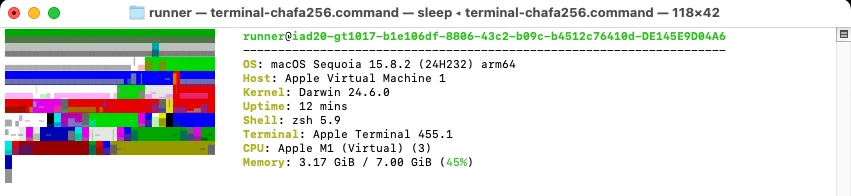
| Apple's Terminal (macOS) | No good option: chafa came out unrecognizable in our test. Use iTerm2, kitty, Ghostty or WezTerm for images | chafa ✓ tested |
| Anything else: GNOME Terminal, Alacritty, the Linux console… | --logo-type chafa | chafa ✓ tested |
The third column comes from fastfetch's source (src/logo/logo.c, the same in 2.70.0 and 2.71.0):
- When the logo is a file that doesn't end in
.txt,autouses the iTerm protocol in iTerm2. - It uses the kitty protocol when the terminal process is kitty, Konsole, WezTerm, wayst, Ghostty or Warp.
- Everywhere else it uses chafa. It never picks sixel on its own.
Want movement without an image? Since 2.71.0 the spin logo type turns your ASCII logo as a 3D slab in any terminal, no image protocol needed: fastfetch --logo-type spin --watch 1 (options).
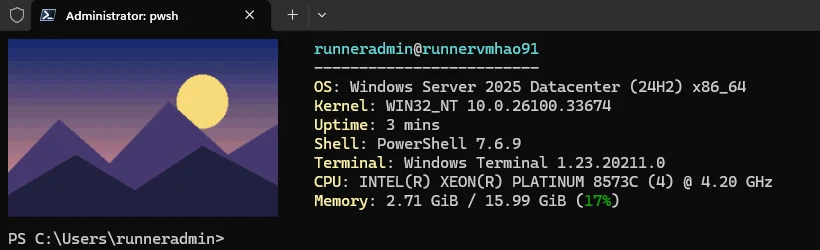
We tested kitty, Windows Terminal and Apple's Terminal ourselves; the other rows reflect the source code and the official logo documentation. The 2.69.0 changelog says Windows Terminal shows sixel logos "out of the box", and it did. With Scoop's fastfetch 2.70.0 in Windows Terminal 1.23 the image appeared with nothing else installed:
Apple's Terminal is the opposite case. It has no image protocol, so auto falls back to chafa, and chafa's colored blocks came out as an unrecognizable stripe pattern there. That happened with chafa's default colors and in 256-color mode (--chafa-canvas-mode INDEXED_256), on macOS 15 with Homebrew's chafa 1.18.3. The same image renders cleanly with chafa in kitty (above). On a Mac, use iTerm2, kitty, Ghostty or WezTerm if you want an image logo.
| Logo type | How it works |
|---|---|
kitty | fastfetch decodes the image and sends pixels with the kitty graphics protocol. The only type where fastfetch plays animations itself. |
kitty-direct | Sends the file to the terminal unchanged; the terminal decodes it. The wiki lists WezTerm and Warp (PNG, JPG, WebP…) and kitty and Ghostty (PNG only); Konsole doesn't support it. |
kitty-icat | Runs kitty's kitten icat, which has to be installed. Works inside tmux. |
sixel | Encodes the image as sixel graphics. |
iterm | The iTerm2 inline-image protocol (iTerm2, WezTerm, Konsole). |
chafa | Converts the image to colored Unicode blocks, so it works in any terminal with true color, at text resolution. |
raw | Prints a file you converted yourself (for example with img2sixel) as-is. Set --logo-width and --logo-height to its size in cells. |
Each type has a shortcut that sets the type and the source at once: fastfetch --kitty ~/me.png is the same as --logo-type kitty --logo ~/me.png.
What your fastfetch build needs#
Image logos rely on libraries fastfetch loads only when you ask for an image. A missing library doesn't stop fastfetch from starting: the image just fails, and you get the normal ASCII logo instead.
| System | For kitty and sixel | For chafa | Animated GIF |
|---|---|---|---|
| Windows, macOS, Android | Built in since 2.69.0: the system's own image decoder (WIC, ImageIO, AImageDecoder) | libchafa | Yes, kitty type (per the source code; GIF playback not tested on these systems) |
| Arch and other distributions with ImageMagick 7 | imagemagick (optional dependency) | chafa (optional dependency) | ✓ tested on Arch |
| Ubuntu and Debian (ImageMagick 6) | ImageMagick 6 libraries | libchafa0t64 | ✗ "can not be animated by this build" |
Two of these we checked directly:
- The Ubuntu PPA package declares only
libc6as a dependency (apt-cache depends fastfetch), so neither library comes with it. - Arch lists
imagemagickandchafaas optional dependencies (details).
To see what your build supports, run fastfetch --list-features and look for imagemagick6 or imagemagick7, chafa and Embedded sixel.
The chafa library, before and after#
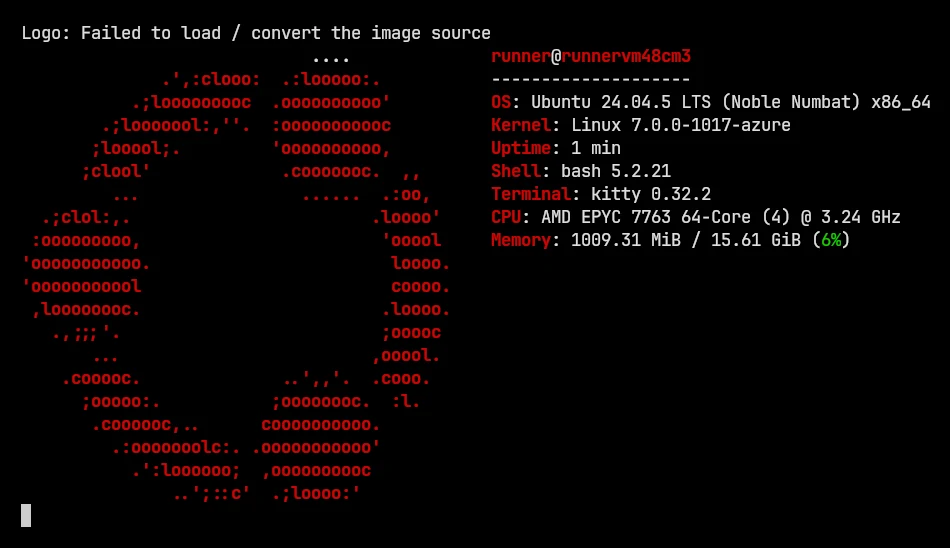
On Ubuntu 24.04 with the PPA build but without libchafa, --logo-type chafa printed Logo: Failed to load / convert the image source and fell back to the Ubuntu logo. After sudo apt install libchafa0t64, the same command drew the image (second screenshot above):
Size and position#
{
  "$schema": "https://github.com/fastfetch-cli/fastfetch/raw/dev/doc/json_schema.json",
  "logo": {
    "type": "kitty",
    "source": "~/Pictures/me.png",
    "width": 30,
    "padding": { "right": 3 }
  }
}
width and height are in terminal cells, not pixels. If you set only one, the aspect ratio is kept; if you set neither, the image is drawn at its original size, which is usually far too big. To put the image above the text instead of beside it, set "position": "top". "auto" (new in 2.70.0) does that only when fewer than 32 columns would be left for the text. padding.right (default 4) is the gap between image and text; padding.top only applies with "position": "top".
Animated GIF logos (and "3D fastfetch")#
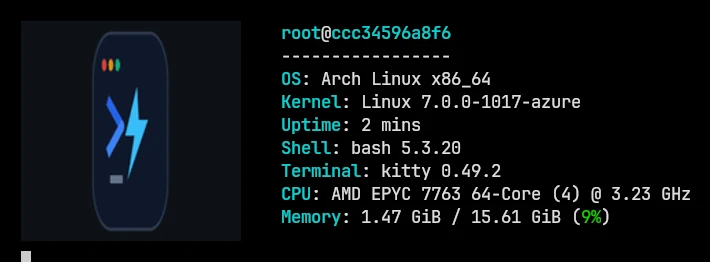
fastfetch --logo ~/Pictures/spin.gif --logo-type kitty --logo-animation-frame 0
Since 2.69.0 fastfetch can play GIF and APNG files, with some conditions:
- Only the
kittytype plays them.--logo-animation-frame 0means "play"; the default1shows the first frame as a still image, and any other number picks that frame. Negative numbers count from the end, but only in a config file ("animationFrame": -1), because the command line reads a leading-as an option. - On Linux and BSD, fastfetch must be built with ImageMagick 7. The source code leaves ImageMagick 6 out of animation support. On Ubuntu's PPA build (ImageMagick 6), the same command printed
Logo: the image source can not be animated by this buildand showed the Ubuntu logo. Windows and macOS builds take their frames from the system's decoder, so according to the source code they can play GIFs too; we only tested Linux. itermandkitty-directpass the file to the terminal, which may animate it by itself. fastfetch has no control over that.
What people mean by "3D fastfetch"#
fastfetch itself has no 3D mode. The spinning 3D logos you may have seen come from a separate program, fetch by areofyl, written in C, ISC license, about 1,100 GitHub stars. It renders your distribution's logo as a rotating 3D relief next to live system information. According to its README, it takes the logo from fastfetch when fastfetch is installed, it runs on Linux and macOS, and Arch users can get it from the AUR as fetch-git. We haven't tested it. If you just want motion, an animated GIF in kitty (above) is fastfetch's own way.
A random image every time#
{
  "$schema": "https://github.com/fastfetch-cli/fastfetch/raw/dev/doc/json_schema.json",
  "logo": { "type": "kitty", "source": "~/Pictures/fetch/*.png", "width": 30 }
}
On Linux, macOS and BSD, fastfetch expands the source path like a shell does, and when a wildcard matches several files it picks one at random. We checked the randomness with three logo files and 30 runs each: from the command line the split was 11, 9 and 10; from a config file, 9, 10 and 11. EndeavourOS's optional config uses a shell command (find … | sort -R | head -1) for the same effect. The wildcard is simpler.
Pokémon sprites and other generated logos#
Any program that prints colored text can supply the logo. pokeget prints Pokémon sprites, and there are two ways to connect it:
pokeget pikachu --hide-name | fastfetch --file-raw -{
"$schema": "https://github.com/fastfetch-cli/fastfetch/raw/dev/doc/json_schema.json",
"logo": { "type": "command-raw", "source": "pokeget random --hide-name" }
}▄▄▄ ▄▄ runner@runnervm48cm3 ▄▄▄▄ ▄▄▄▄▄▄▄▄▄ -------------------- ▄▄▄▄▀ ▄▄▄▄▄▄▄▄▄▄▄▀ OS: Ubuntu 24.04.5 LTS (Noble Numbat) x86_64 ▄▄▄▄▄▄▄▄▄▄▄▄▄▄▄▄▄▀ Kernel: Linux 7.0.0-1017-azure ▄▄▄▄▄▄▄▄▄▄▄▄▀▄▄▄▄▄ Uptime: 3 mins ▀▄▄▄▄▄▄▄▄▄▄▄▄▄▄▄▄▀ Shell: bash 5.2.21 ▀▄▄▄▄▄▄▄▄▄▄▄▄▄▄▄▄ CPU: AMD EPYC 7763 64-Core (4) @ 3.23 GHz ▄▄▄▄▄▄▄▄▄▄▄▀ Memory: 969.57 MiB / 15.61 GiB (6%) ▀▄▄▄▄▄▄▄▄▀ ▀▀▄▀
Both worked in our test with pokeget 1.6.7. file-raw - reads the logo from standard input. command-raw runs a shell command every time fastfetch starts. The wiki calls command-raw "config only", but in 2.70.0 --logo-type command-raw --logo 'cmd' worked on the command line too. A command-raw logo runs whatever command the config contains, so read configs from other people before you use them.
Album art of what's playing#
Since 2.55.0 the special source media-cover shows the cover of the currently playing track, for example fastfetch --kitty media-cover. It needs a terminal image protocol and a player that reports cover art. We couldn't test it on our headless machines.
The image cache#
fastfetch caches converted images so later runs start faster. On Linux they live under ~/.cache/fastfetch/images/, keyed by the image's full path and the requested size. A cached image is redrawn when the source file changes. Changing an option such as the logo type doesn't refresh it, though, so run once with --logo-cache regen after such a change. --logo-cache false turns the cache off. In 2.69.0, --logo-cache replaced the old --logo-recache. Using the old flag now stops with --logo-recache has been replaced by --logo-cache regen, and the old config key logo.recache fails the same way.
Image not showing? The exact messages#
When an image can't be drawn, fastfetch quietly shows your distribution's ASCII logo instead. In our test, a missing file with no other options printed nothing at all on stderr. Add --show-errors to see the reason, then look it up here:
Message (with --show-errors) | What it means | Fix |
|---|---|---|
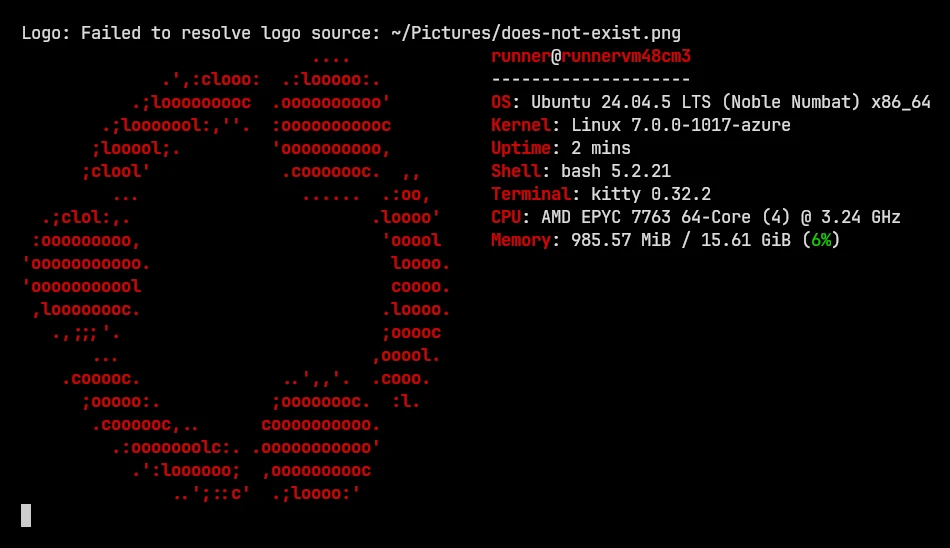
Logo: Failed to resolve logo source: … | fastfetch couldn't find a file at that path, and it's not a built-in logo name either. We got this message for a missing image and for a mistyped logo name (-l not-a-real-logo). | Check the spelling (fastfetch --list-logos for names). Use an absolute path or ~/, not a relative one (see below). |
Logo: Failed to load / convert the image source | The image library for this logo type isn't installed. We got it for chafa without libchafa. | Install chafa / libchafa0t64, or ImageMagick for kitty and sixel on Linux (table). |
Logo: the image source can not be animated by this build | You asked for animation (--logo-animation-frame 0) on a Linux build without ImageMagick 7. | Drop the option for a still image, or use a build with ImageMagick 7. |
Logo: Image logo is not supported in pipe mode | The output is piped or redirected, or NO_COLOR is set (message from the source code). | Run it in the terminal directly, or add --pipe false when testing. |
Logo: getCharacterPixelDimensions() failed | fastfetch couldn't learn the size of a character cell in pixels. Its output isn't going to a terminal (a pipe, a file, a script), or the terminal doesn't report its size. | Run it directly in a terminal. With Powerlevel10k, put it above the instant prompt (why). |
Relative paths are relative to where you are#
A relative path in your config is resolved against the current directory, not the config file's folder. In our test, --logo me.png worked from the folder containing the image, and from any other folder it failed with Failed to resolve logo source: me.png. Three ways that work from anywhere, all tested:
- A path starting with
~/, which fastfetch expands itself. - An absolute path.
- Just a file name, with the file in
~/.local/share/fastfetch/logos/. fastfetch looks in that folder ($XDG_DATA_HOME/fastfetch/logos/) when the name doesn't match anything else.
Other common problems#
- Works in the terminal, not in a script or in
| less: image logos need a real terminal. Piped output keeps the ASCII logo but never an image. - The image overlaps the text, or its top scrolls away: set both
--logo-widthand--logo-height, so the terminal reserves exactly that much room. The wiki also suggests runningclearfirst. - The GIF shows a still frame: add
--logo-animation-frame 0and use thekittytype. - You changed the logo type and still see the old picture: run once with
--logo-cache regen.
Questions#
Why is my fastfetch image not showing?
Run it again with --show-errors. The message tells you whether the file wasn't found, a library is missing, or fastfetch isn't connected to a terminal. The messages and fixes.
Can fastfetch show a GIF?
Yes, since 2.69.0, with --logo-type kitty --logo-animation-frame 0 in a terminal that supports the kitty graphics protocol. On Linux the build needs ImageMagick 7: we confirmed it on Arch, while Ubuntu's PPA build refuses.
Does fastfetch work with images in Windows Terminal?
Use --logo-type sixel. In our test with Windows Terminal 1.23 and fastfetch 2.70.0 from Scoop, a PNG appeared as a sixel logo with nothing else installed: Windows builds decode images with the system's own decoder.
How do I make the fastfetch logo 3D?
How do I show a Pokémon in fastfetch?
Install pokeget, then run pokeget random --hide-name | fastfetch --file-raw -, or set "logo": {"type": "command-raw", "source": "pokeget random --hide-name"} in your config. Tested example.